Higgsfield MCP: What It Is and 10 Systems Where a Dev Can Integrate Image and Video
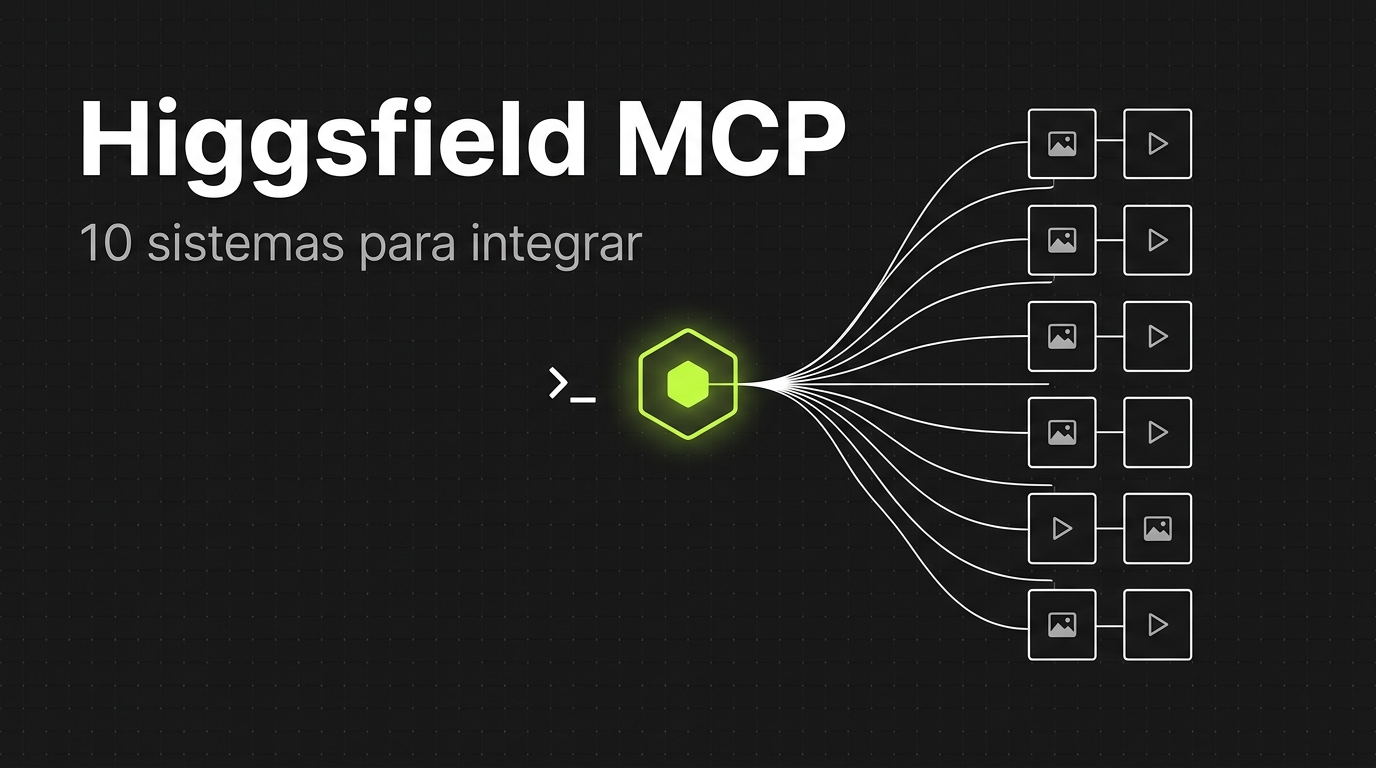
Higgsfield MCP is an MCP server that hands your AI agent more than 30 image and video models, with the generation harness already built behind it. You connect, authorize in the browser, and the agent starts generating assets like it would use any other tool.
That matters because generating an image with AI inside a system is easy. One API call and you're done. Generating a good image, in the right style, at the right aspect ratio, with video alongside it and without blowing the budget, is a different problem. That's when you find out you weren't integrating a model. You were building an entire harness around it.
In this post I cover what Higgsfield MCP is, how to plug it into Claude Code, what each generation costs, and 10 real systems where a dev can fit it in.
Rather watch? This is the post in 90 seconds, with five of the ten ideas. The clips and the mascot were generated by Higgsfield itself.
TL;DR
- What it is: Higgsfield's official MCP server, which exposes image, video, and audio generation to any MCP client (Claude, Claude Code, ChatGPT, Cursor).
- Stack/Models: Seedance 2.5, Kling 3.0, Veo 3.1, Nano Banana Pro, GPT Image 2.5, Soul 2.0, and others, over MCP or through the
@higgsfield/cliCLI. - Cost/Access: OAuth login, no API key. Requires an active subscription, and every generation draws credits from your plan.
- Useful link: official Higgsfield MCP page.
What Higgsfield MCP is and why it matters to devs
Higgsfield is a platform that aggregates image and video models from several labs in one place. The MCP is the door that lets an agent use all of it as a tool.
In practice it's an endpoint: https://mcp.higgsfield.ai/mcp. You connect, authorize in the browser, and the agent starts seeing the generation tools. The official page talks about more than 30 models and no API key. If you're still fuzzy on what the protocol is, start with what MCP is.
What the agent can do, according to the help center:
- generate images and video on every model;
- upscale, background removal, outpaint, and reframe;
- consistent characters with Soul and reference elements;
- audio: voiceover, voice cloning, voice changing, and dubbing;
- cut long video into clips;
- check credit balance and generation history.
Now the part that matters if you write code.
It used to be that putting images in a product meant integrating directly with a model. That's what I did in the first version of my website pipeline: a direct call to Nano Banana. It worked. But to make it better I'd have to write a prompt per asset type and handle style references, aspect ratio, video for the hero. Weeks of work that aren't my product.
With Higgsfield, that harness comes ready-made. For Pimentarte, my dad's artisanal hot pepper company, three bad phone photos turned into a hero with the product integrated into the scene and a video playing behind it. Same pipeline, same agent, I only swapped the assets step.
It's the same logic as using the Claude Code harness instead of rewriting the agent loop by hand. You gain nothing by reimplementing something that already exists and is better. Knowing which piece to buy off the shelf and which to build is an architecture decision, and that's the kind of decision we make with code on screen, every week, live, in the Clã.
Prerequisites and tools
- A Higgsfield account with an active subscription. Without a plan, the connector won't generate.
- An MCP client: Claude (web or desktop), Claude Code, ChatGPT, or Cursor.
- Node.js installed, if you're going the CLI route.
- A basic grasp of queues and subprocesses, if the idea is to call this from inside your backend.
Hands-on: from the connector to the backend
Step 1: connect
In Claude (web or desktop) it's a custom connector: Settings, Connectors, Add custom connector, paste the URL https://mcp.higgsfield.ai/mcp, and authorize in the browser.
In Claude Code you can register the same server:
claude mcp add --transport http higgsfield https://mcp.higgsfield.ai/mcp
But there's a detail here that almost every tutorial skips. For terminal agents, Higgsfield itself recommends the CLI with skills instead of the MCP (help center):
npm i -g @higgsfield/cli
higgsfield auth login            # OAuth no navegador, sem API key
npx skills add higgsfield-ai/skills
Makes sense. MCP is great for a chat agent. For an agent that already runs commands in the terminal, a binary with --json is simpler to orchestrate, to test, and to block.
It's the same account either way. Same credits, too.
Step 2: estimate the cost before generating
This is the command I use the most and the one that shows up the least in tutorials:
higgsfield generate cost nano_banana_2 --prompt "studio product photo" --json
# { "credits": 2 }

higgsfield generate cost seedance_2_0 --prompt "slow push-in shot" --json
# { "credits": 22.5 }
It estimates the credits without creating the job. I ran both on our account on October 1, 2026, with default parameters: 2 credits for an image on Nano Banana Pro and 22.5 for a video on Seedance 2.0. Resolution, duration, and model change the number, so estimate with the parameters you're actually going to use.
To see what's available and what each model accepts:
higgsfield model list --video
higgsfield model get nano_banana_2
higgsfield account status
Step 3: generate with a budget your code controls
Pro tip: the agent decides what to generate. Your code decides how much it can spend.
In a Laravel system, that becomes a small service:
// app/Services/AssetGenerator.php
use Illuminate\Support\Facades\Process;

class AssetGenerator
{
    public function generate(string $model, string $prompt, float $budgetLeft): string
    {
        $estimate = Process::run([
            'higgsfield', 'generate', 'cost', $model,
            '--prompt', $prompt, '--json',
        ])->throw();

        $credits = json_decode($estimate->output(), true)['credits'];

        if ($credits > $budgetLeft) {
            throw new BudgetExceeded("Geração custa {$credits} créditos, restam {$budgetLeft}.");
        }

        // --wait bloqueia até o job terminar e imprime a URL do resultado
        $job = Process::timeout(1500)->run([
            'higgsfield', 'generate', 'create', $model,
            '--prompt', $prompt,
            '--wait', '--wait-timeout', '20m',
        ])->throw();

        return trim($job->output());
    }
}
Run it inside a queue job, never inside the request. Video takes minutes.
Common mistakes:
- A timeout that looks like a failure. Video is asynchronous.
generate waitwaits 10 minutes by default. If your process gives up before that, the job keeps running on the other side and the credit gets spent anyway. Store thejob_idand check later withhiggsfield generate get. - Vague prompt. In the video I asked for a map seen from above zooming into a house. The first result started at a church. Fixing it came out a lot cheaper than generating from scratch, but it still cost something.
- Budget written in the prompt. "Don't spend more than X credits" is a suggestion. The model forgets it by the third iteration. A spending cap is an
ifin the code.
A tutorial shows you the way — in the Clã you build alongside us. A live class every week, real AI Engineering projects, next to people already in production.
Join the Clã10 system ideas for integrating Higgsfield
The right question isn't "what can I generate." It's "in which system I already maintain is the image or the video the bottleneck."
1. Website generator for small businesses. This is the case from the video. The agent reads the design, lists the assets, and generates the hero, section photos, and a short background video. Small-business sites almost always die on the bad photo.
2. E-commerce with standardized product photos. The merchant uploads a phone photo. The system returns a clean background, a studio shot, and an in-use scene. Background removal and upscale go in the same flow.
3. Marketplace integrator. Anyone publishing the same catalog on Mercado Livre, Amazon, and Shopee needs a main image that follows each one's rules, plus secondary images and infographics. It becomes a step in the publishing job.
4. Paid traffic platform. Starting from an approved creative, generate hook variations, resize for each format, and localize into another language. The media team tests ten versions instead of two.
5. UGC video per product. Review, unboxing, and demo generated from the product record. Fits your own store, an affiliate app, and an ad tool.
6. CMS and blog. Cover, share image, and thumbnail generated on the post's publish event, following the brand's visual guide. Nobody publishes with a stock image anymore.
7. Course platform. A long lesson becomes a short explainer video with narration. Dubbing opens the same content to another language without re-recording.
8. Social media scheduler. Reframe from 16:9 to 9:16 and automatic cutting of long video into clips. The user uploads one video and walks away with the whole week scheduled.
9. Digital menu and delivery. A small restaurant doesn't have a photographer. The photo of the dish taken in the kitchen becomes a standardized photo, with the same light and the same framing across the whole menu.
10. Onboarding and CRM with a consistent presenter. A character trained on Soul looks the same in every welcome video, tutorial, and sales proposal, with voiceover generated per customer.
The pattern is the same in all ten: a system event dispatches a job, the job builds the prompt with data from the database, estimates the cost, generates, and saves the URL. The agent only comes in where there's a real decision, like choosing which assets the page needs.
Limitations and things to watch out for
Every agent generation draws credits. Even if your plan has unlimited models on the site. The help center is blunt: unlimited and free generation only apply on higgsfield.ai, not on MCP, plugin, or CLI.
An agent with no cap drains your balance. A loop that keeps regenerating a video burns hundreds of credits with nobody watching. Limit per job, per customer, and per day, in the code.
Text inside the image. Most models still get letters wrong. For a banner with a headline, use a model that's strong at typography (the GPT Image line) or overlay the text on the front end.
Character consistency. Without training a Soul, the face changes between generations. For a fixed presenter, training is a prerequisite, not a detail.
ChatGPT has fewer features. There's no audio generation there, and no website-building skill.
Customer data in the prompt. A person's photo, name, and address go to an external service. Mask what doesn't need to go and make that clear in your terms of use.
Pricing changes. I'm not going to commit to a plan price here. Check the pricing page on the day you need it and do the math in credits per asset with generate cost.
Quick FAQ
Do I need an API key to use Higgsfield MCP? No. Authentication is OAuth through the browser, with your account. What you do need is an active subscription, because every generation made by a connected agent draws credits from your plan. The same account works across several agents at the same time.
In Claude Code, should I use MCP or the CLI?
Both work. Higgsfield's recommendation for terminal agents is the CLI with the skills, and I agree: a command with --json is easier to orchestrate, to cost-estimate, and to block with a hook. MCP is the better fit for a chat agent, like Claude in the browser.
How much does a generation cost?
It depends on model, resolution, and duration. On our account, on October 1, 2026, an image on Nano Banana Pro came out to 2 credits and a default video on Seedance 2.0 to 22.5. Run higgsfield generate cost with your own parameters before quoting a price to a client.
Where do the generated files go? Everything the agent generates lands in the Assets area of your account on higgsfield.ai, tagged with its source, usually within a minute. The command also returns the result URL, which is what you save in your database.
Conclusion
Higgsfield MCP isn't one more image model. It's a ready-made generation harness, exposed as a tool for your agent and as a CLI for your backend.
The dev work that's left is what was always ours: choosing where this goes in the product, building the prompt with real data, putting the generation on a queue, and locking down the cost in code. A deterministic tool controlling a probabilistic tool.
The next step for this category is predictable: generating will become a commodity, and the difference will be in evaluating what was generated before showing it to the customer. If you want to see the whole pipeline around this, with Claude Code running headless and orchestrated by Laravel, the post is Claude Code headless: an agent orchestrated by your code.
The pipeline with Claude Opus 5.5 and Higgsfield generating 11 sites is on YouTube: watch the full video.
And if you're going to create your Higgsfield account, use our link. You get a discount and you help the channel too.

{AI Engineer} — apaixonado por Laravel, arquitetura de software e construir produtos com impacto. Compartilho aqui tutoriais, descobertas e reflexões sobre o dia a dia de engenharia.
There is no shortage of content. What is missing is someone to untangle it: what matters now is how to implement it the right way. In the Clã you get that live, every week, with people who have already filtered out the noise.
Join the Clã