EmbeddingGemma 2: Google's open source embedding that searches text inside images
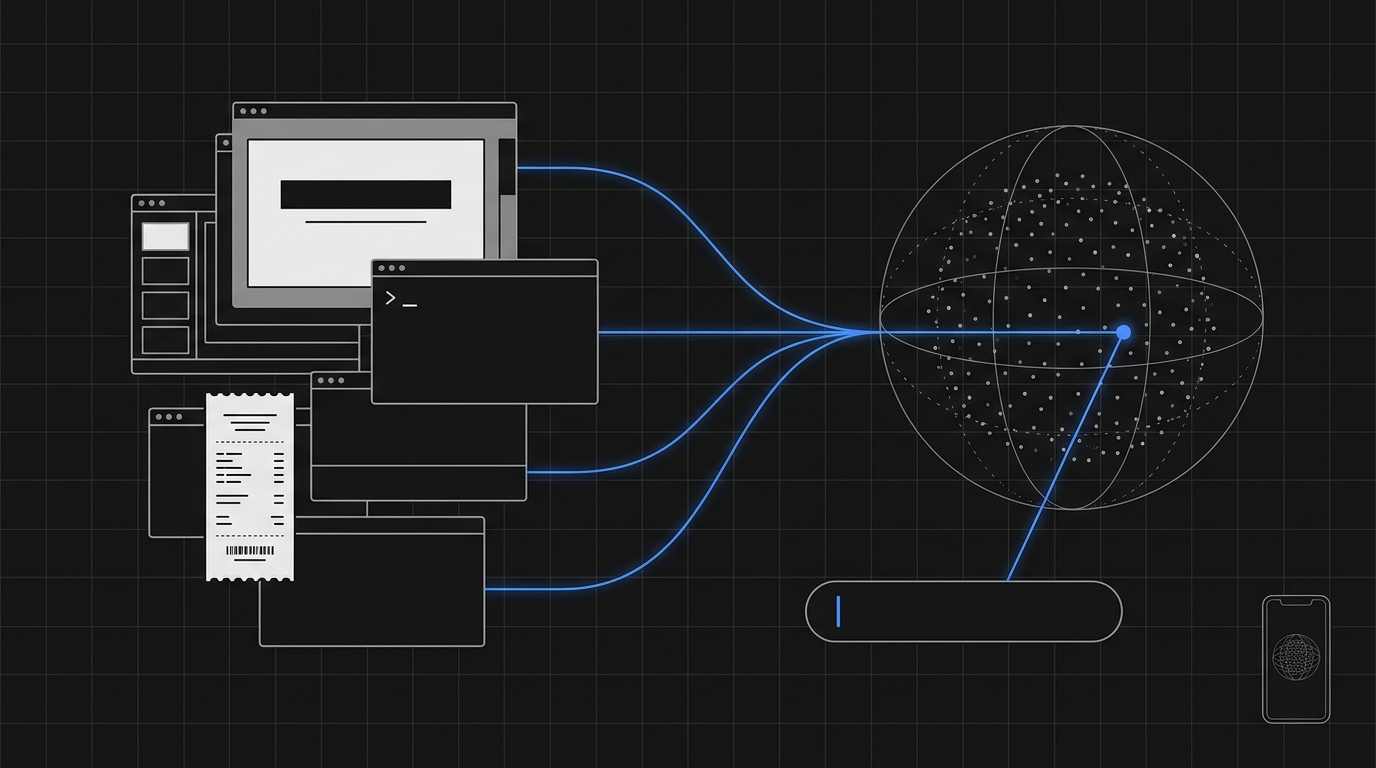
You have a thousand screenshots, slides and scanned PDFs.
And the only way to search inside them is to run OCR on everything first.
Google just dropped EmbeddingGemma 2: a 740M-parameter embedding model, Apache 2.0, that puts images and text in the same vector space and runs even on a phone. That raises a very practical question for anyone building search and RAG: can you skip OCR and search for text directly inside the image?
In this post I'll show you what the model actually is (with the numbers from the model card, not the hype), build a screenshot indexer with sentence-transformers + pgvector, compare it with Gemini Embedding 2, and make it clear where OCR is still mandatory.
If you're not yet clear on what an embedding is, start with our embeddings guide. From here on I'm assuming you already know.
TL;DR
- What it is: Google DeepMind's open-weights, natively multimodal embedding model. Text, code, images, video and audio become vectors in the same 768-dimensional space.
- Stack/Models: Python,
sentence-transformers,transformers, PostgreSQL + pgvector. Also runs on Ollama, llama.cpp, MLX, vLLM, transformers.js and LiteRT. - Cost/Access: free, Apache 2.0, weights on Hugging Face and Kaggle.
- Useful links: model card on Hugging Face and official announcement.
What EmbeddingGemma 2 is and what changed from version 1
The announcement came out on October 6, 2026, signed by Google DeepMind researchers. EmbeddingGemma 1 was text-only and, according to Google, passed 20 million downloads.
Version 2 changes category.
It's built on the Gemma 4 architecture and, in Google's own words, "from the same technology as the Gemini Embedding models". What matters for you:
- 740M parameters total, but modular. The model card breaks it down like this: 130M text backbone + 140M embedder (the 270M "text" part), a 170M vision encoder and a 300M audio encoder. You only load what you use: text-only stays at 270M, text + image at 440M.
- A single vector space. A text query and a photo land in the same 768-dimensional space. You can compare them directly, no bridge model.
- 8,192-token context, 4x version 1. Context is shared across modalities: an image costs 280 tokens by default, a video frame 140, one second of audio 25.
- Matryoshka: 768 native dimensions, truncatable to 512, 256 or 128.
- Runs on a phone. Quantized on a Pixel 11 Pro, Google reports about 191 MB of active RAM for text only and about 567 MB with the full multimodal model.
In the benchmarks published in the model card (all reported by Google, none independently reproduced yet), the most visible jump is in code: MTEB Code went from 68.76 to 78.68. On multilingual text it's basically a tie with version 1 (61.36 vs 61.15 on MTEB multilingual v2).
The number that matters most for this post is a different one: 67.84 NDCG@5 on MMEB v2 VisDoc, the part of the benchmark that measures visual document retrieval. It's the closest signal to "this model can find a page from the question you ask about it".
A signal. Not proof. I'll explain the difference in a moment.
And here's the part that separates people who read release notes from people who ship to production: a new embedding model is only worth anything after you run it on your data, with your queries, and measure. That cycle of grabbing the launch of the week, testing it on real data and deciding with numbers in hand is what we do every week, live, in the Clã Beer and Code, with people building together instead of each one getting beaten up alone by the same bug.
Searching text inside images without OCR: how it works in a single vector space
The classic pipeline for searching images that contain text looks like this:
- Run OCR on the image.
- Take the extracted text.
- Generate an embedding of that text.
- Index it.
It works. But it has three hidden costs: one more model to maintain, OCR errors that become search errors, and all the non-text information (layout, charts, color, icons, that little red arrow in the bug screenshot) thrown away.
With a multimodal embedding, the pipeline becomes:
- Generate an embedding of the image.
- Index it.
At search time, you embed the text question and look for the nearest neighbor. Since images and text were trained to land in the same space, "500 error on checkout" tends to sit close to the screenshot showing a checkout stack trace.
The honest caveat: the vision encoder doesn't "read" the image like OCR does. It encodes what it saw into a vector. Large, legible, semantically central text (a slide title, an error message, a product name) has a good chance of surviving that compression. Tiny text, dense tables, an invoice number? That's a gamble.
And there's a knob that changes this game a lot: the visual token budget. The model card lets you configure 70 to 1,120 soft tokens per image. More tokens, more fine detail preserved, more latency. For text inside images, you want the ceiling.
No source I found has specifically evaluated "retrieving text in screenshots without OCR" with EmbeddingGemma 2. So the code below is for you to test on your own collection, not a promise that it'll work.
Code: indexing screenshots with EmbeddingGemma 2 and searching by text with pgvector
If you need a refresher on why you'd store vectors in Postgres, we have a post on vector databases. Here we go straight to the code.
Prerequisites
- Python 3.10+
- PostgreSQL with the pgvector extension installed
- A
screenshots/folder with PNGs or JPGs
pip install -U sentence-transformers transformers pillow "psycopg[binary]" pgvector
Step 1: load the model with text + vision only
Without audio, the model drops from 740M to 440M parameters. In memory, that makes a difference.
import torch
from sentence_transformers import SentenceTransformer

# bfloat16 on GPUs that support it; float32 everywhere else (including most CPUs).
# NEVER float16: the model card warns it returns NaN or degraded embeddings without any error.
dtype = torch.bfloat16 if torch.cuda.is_available() and torch.cuda.is_bf16_supported() else torch.float32

model = SentenceTransformer(
    "google/embeddinggemma-2",
    config_kwargs={"audio_config": None},   # turns off the audio encoder (440M)
    model_kwargs={"torch_dtype": dtype},
)

# Maximum visual token budget: preserves more fine detail (small text)
IMG_KWARGS = {"image": {"max_soft_tokens": 1120}}
That float16 warning isn't a footnote. It's the kind of bug that doesn't throw an exception, it just silently makes search worse, and you spend a week blaming pgvector.
Step 2: create the table and index the images
from pathlib import Path
import psycopg
from pgvector.psycopg import register_vector

conn = psycopg.connect("postgresql://localhost/search", autocommit=True)
conn.execute("CREATE EXTENSION IF NOT EXISTS vector")
register_vector(conn)

conn.execute("""
    CREATE TABLE IF NOT EXISTS screenshots (
        id        bigserial PRIMARY KEY,
        path      text UNIQUE NOT NULL,
        embedding vector(768) NOT NULL
    )
""")
conn.execute("""
    CREATE INDEX IF NOT EXISTS screenshots_embedding_hnsw
    ON screenshots USING hnsw (embedding vector_cosine_ops)
""")

paths = sorted(p for p in Path("screenshots").iterdir() if p.suffix.lower() in {".png", ".jpg", ".jpeg"})

# Images go in a dict {"image": ...}: accepts a path, URL or PIL.Image.
# Images do NOT get a task prefix; prefixes are for text only.
embeddings = model.encode(
    [{"image": str(p)} for p in paths],
    batch_size=8,
    normalize_embeddings=True,
    processing_kwargs=IMG_KWARGS,
    show_progress_bar=True,
)

with conn.cursor() as cur:
    for path, emb in zip(paths, embeddings):
        cur.execute(
            """
            INSERT INTO screenshots (path, embedding) VALUES (%s, %s)
            ON CONFLICT (path) DO UPDATE SET embedding = EXCLUDED.embedding
            """,
            (str(path), emb),
        )

print(f"{len(paths)} images indexed")
Step 3: search by text
The query uses the SearchQuery prompt, which applies the task: search result | query: ... prefix defined in the model card. It works without the prefix, but Google itself warns that quality drops.
def search(question: str, k: int = 5):
    q = model.encode(question, prompt_name="SearchQuery", normalize_embeddings=True)
    return conn.execute(
        """
        SELECT path, 1 - (embedding <=> %s) AS score
        FROM screenshots
        ORDER BY embedding <=> %s
        LIMIT %s
        """,
        (q, q, k),
    ).fetchall()

for path, score in search("timeout error on the payment screen"):
    print(f"{score:.3f}  {path}")
Done. A text question, a ranking of images. No OCR in between.
Step 4: measure before you believe
Now the part almost nobody does. Put together about 30 questions where you know which screenshot is the answer and measure how often it shows up in the top 5.
cases = [
    ("timeout error on the payment screen", "screenshots/checkout-timeout.png"),
    ("slide with the Q3 revenue target", "screenshots/board-q3-slide-07.png"),
    # ... 28 more cases from your real collection
]

hits = sum(
    any(path == expected for path, _ in search(question, k=5))
    for question, expected in cases
)
print(f"recall@5: {hits / len(cases):.0%}")
Run it again with max_soft_tokens at 280 (the default) and then at 1120. Run it again with the OCR + text embedding pipeline. Now you have numbers to decide with, not opinions.
Storage tip: if recall holds, try truncating to 256 dimensions (truncate_dim=256 in encode and vector(256) in the table). The model card shows a small loss on images (MIEB lite from 64.64 to 63.13) with 3x less space. 128 dimensions, on the other hand, hit multimodal hard (MMEB v2 overall from 59.01 to 45.65), so I wouldn't go there with images.
Do not just follow the news — master it. Hands-on AI Engineering, live, every week, in the largest community in Brazil.
Join the ClãEmbeddingGemma 2 vs Gemini Embedding 2: open on your server or Google's API
Google has both. Gemini Embedding 2 came out in preview on March 10, 2026 and went GA in April. It's closed and runs via the Gemini API and Vertex AI.
And there's a third player worth knowing: on October 7, Perplexity released the pplx-embed-v2-late family, with open weights on Hugging Face, focused on text and images (including rendered PDF pages, no OCR).
| EmbeddingGemma 2 | Gemini Embedding 2 | pplx-embed-v2-late 0.6B | |
|---|---|---|---|
| Access | Open weights, Apache 2.0 | Closed API (Gemini API / Vertex AI) | Open weights on Hugging Face |
| Where it runs | Your server, laptop, phone, browser | Google's cloud only | Your server |
| Modalities | Text, code, image, video, audio | Text, image, video, audio, PDF | Text and image |
| Vector format | 1 vector per input | 1 vector per input | 1 vector of 128 dims per token (late interaction) |
| Dimensions | 768 (down to 128) | 3,072 default (128 to 3,072) | 128 per token |
| Context | 8,192 tokens | 8,192 tokens, up to 6 images per request | n/a in the announcement |
| Cost | Your hardware | $0.20/M text tokens, $0.45/M image tokens | Your hardware |
Table sources: EmbeddingGemma 2 model card, Gemini Embedding 2 docs and pricing, and the Perplexity announcement.
How I'd decide:
- Sensitive data or high volume (internal screenshots, customer invoices, screen captures with personal data): EmbeddingGemma 2. The data never leaves your server, and the marginal cost per image is zero once the machine exists.
- On-device or offline search: EmbeddingGemma 2, no competition in this table.
- Small team, no GPU, wanting maximum quality with zero ops: Gemini Embedding 2. At $0.00012 per image, it's hard to beat when you don't want to run infrastructure.
- Search over dense visual documents, where every detail counts: worth testing pplx-embed-v2-late. Late interaction stores one vector per token, which usually helps with fine detail, but it costs you in storage and doesn't fit pgvector's "one row, one vector" scheme without adaptation.
One warning that applies to any choice: vector spaces from different models don't talk to each other. Switching embeddings means reindexing everything. Choose with evals, not hype, because switching is expensive.
And you can't compare the benchmarks against each other. Google publishes MMEB, Perplexity publishes ViDoRe, and neither runs on the other's benchmark in their announcements. One more reason for Step 4 above.
Where OCR is still worth keeping in the pipeline
A multimodal embedding finds. OCR extracts. Different jobs.
Keep OCR when:
- You need the text, not just the image. Pulling the total amount, the tax ID or the due date from an invoice is extraction, not search. No embedding will hand you back the number.
- The search is for an exact string. Order number, error code, commit hash. Vectors are good at semantics and bad at literals. Here OCR + text search (or hybrid search) wins easily.
- Long, dense documents. A scanned 40-page contract doesn't fit in a single image, and tiny text is exactly where the vision encoder's compression loses information.
- Auditing. If someone needs to see why a document showed up, a highlighted text snippet explains it. A cosine score doesn't.
- RAG that will cite the content. The LLM needs the text to answer. You can search by image, but in the end something has to read it.
For that side of the pipeline, our post on Mistral OCR 4 shows the state of the art in PDF reading.
The design I find most sensible for production today is hybrid: image embeddings for broad, cheap recall, with OCR running only on the top-k results that actually go to the LLM or the user. You pay for OCR on 5 images per search, not on 1 million at indexing time.
Limitations and things to watch
- Nothing here has been independently validated. Every number in this post comes from Google or Perplexity.
- Training cutoff in January 2025. Interfaces, products or memes newer than that may turn into noise.
- Pre-trained only. The model card says there's no safety tuning or moderation. Content filtering is on you.
- Privacy is still a problem. Indexing screenshots means indexing passwords, tokens and customer data that showed up on screen. Running locally solves leaking to third parties, not unauthorized access in-house. Control who can query the index.
- Context is split across modalities. At 1,120 tokens per image, only about 7 images fit in an interleaved input. For indexing screenshots, one image per vector is the way to go.
Quick FAQ
Can I use EmbeddingGemma 2 commercially? Yes. The license is Apache 2.0, described by Google itself as commercially permissive. Also respect the Gemma prohibited use policy, which the model card references.
Does it run on CPU?
Yes, in float32. For text only, loading just the 270M, it's quite light. With images it's viable for batch indexing, but a GPU with bfloat16 speeds things up a lot. float16, no, never: it silently returns NaN.
Does it work with Portuguese? The model card mentions more than 100 languages, and the MTEB multilingual v2 score is 61.36. For Portuguese text inside images, there's no published number. Test it on your own collection.
Do I need to reindex if I already use EmbeddingGemma 1? Yes. It's a different model, a different vector space. Vectors from the two versions aren't comparable, just like between Gemini Embedding 001 and 2.
Conclusion
EmbeddingGemma 2 is Google's first open source multimodal embedding, it fits on a phone, and it puts screenshots and text questions in the same vector space. That turns "searching inside images without OCR" into something you can test in an afternoon, with Postgres and forty lines of Python.
But test is the key word.
The next step for this technology is embeddings becoming the cheap recall layer and OCR (or a VLM) becoming the precision layer, only where it matters. Whoever builds that hybrid with real evals will get better search and a smaller bill.
If you're starting now, review the basics in our embeddings guide and pick where to store your vectors with our post on vector databases.

{AI Engineer} — apaixonado por Laravel, arquitetura de software e construir produtos com impacto. Compartilho aqui tutoriais, descobertas e reflexões sobre o dia a dia de engenharia.
There is no shortage of content. What is missing is someone to untangle it: what matters now is how to implement it the right way. In the Clã you get that live, every week, with people who have already filtered out the noise.
Join the Clã