Claude Meetings: Claude joins your call and starts the work before it ends
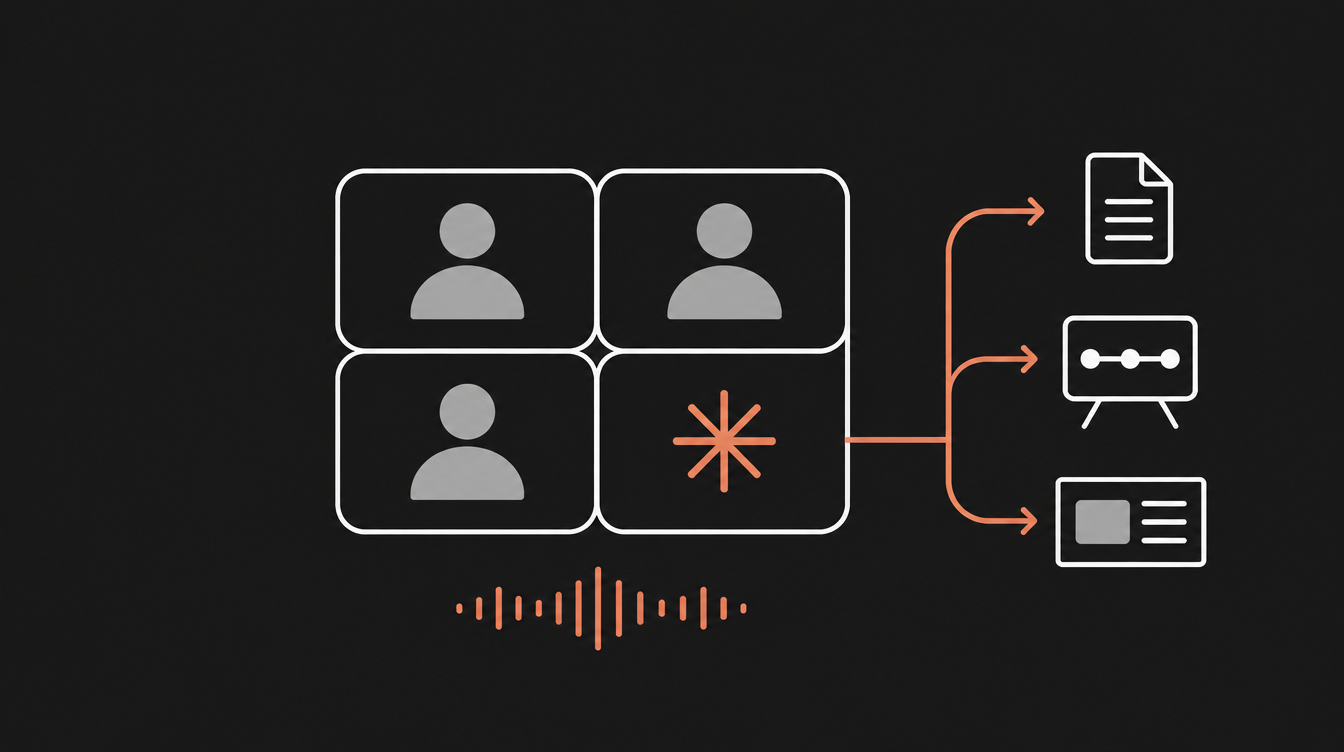
Claude Meetings is Anthropic's beta feature that puts Claude in your Google Meet call as a participant: it takes notes, answers questions and builds docs and whiteboards while the meeting is happening.
Every meeting ends the same way.
Everyone agrees. Someone says "I'll send a summary." Nobody does. Next week, another meeting to remember what was decided in the last one.
The problem was never a lack of minutes. It's the gap between talking and doing.
Anthropic put Claude Meetings into beta on November 12, 2026, and it goes straight at that gap: Claude starts producing docs, whiteboards and slides while people are still talking, pulling data from each participant's connected tools.
In this post you'll see what Claude Meetings actually does, how to turn it on, what gets stored, what it costs during the beta, and where the gotchas are before you drop it into your team's meetings.
TL;DR
- What it is: Claude joins your video call, writes notes and action items, answers questions and creates artifacts (docs, whiteboards, slides) live.
- Where it works: Google Meet only for now, on Team and Enterprise plans, in claude.ai and Claude Desktop.
- Beta cost: notes and transcripts are free. Answers that use connectors count toward plan usage. Artifacts are free through February 10, 2027.
- Official link: Introducing Claude Meetings, now in beta
What Claude Meetings is and why it's not just another notetaker
Meeting bots aren't new. Otter, Fireflies, Granola and friends already join the call, transcribe it and send you a summary afterwards.
The "afterwards" is the part Claude Meetings is trying to kill.
In the official announcement, Anthropic describes Claude as a visible participant in the call. It writes the notes and action items "so no one on the call has to". But the real point is something else: mid-conversation you say "Claude, start a doc for this plan" and the document starts taking shape right there, attached to the meeting page, editable by everyone on the invite.
According to TechCrunch, Claude can draft the plan being discussed, map out a timeline on a whiteboard and pull "last year's figures" from connected apps, all without the meeting stopping.
The technical difference is this:
- Classic notetaker: audio in, text out. A transcription pipeline with an LLM at the end.
- Claude Meetings: the conversation becomes context for an agent that has tools (connectors), per-user permissions and the ability to produce artifacts.
And it didn't ship alone. The same release brought Claude Whiteboards and Claude Sheets in beta, and Claude Data (formerly Claude Dashboards) went GA. This isn't a one-off feature. It's Anthropic going after the whole workspace, a few weeks after OpenAI and Meta made similar moves, as TechCrunch points out.
Notice the pattern: the value isn't the model hearing audio. It's the right context, the right connector and the right permission, wired into a flow that delivers work. Using Claude Meetings is clicking "Add Claude". Building a product that does this, with an agent, connectors and per-user access control, is engineering, and it's the kind of thing we build every week, live, at the Clã Beer and Code.
How to turn it on and get Claude into the call
The flow is documented in Anthropic's Help Center. Four steps:
- Open Meetings in Claude (
claude.ai/meetings). - Connect Google Calendar. An org owner has to enable Google Calendar first. If the option doesn't show up, that's your blocker.
- Pick the meeting from your calendar.
- Click Add Claude.
Most of the time Claude joins without asking the host. If the host is asked and declines, it won't retry that call unless someone adds it again.
Auto-join
To stop adding it meeting by meeting, go to Settings > Capabilities > Meetings > Auto-join. You can pick all meetings or all except 1:1s. Important detail: owners can't turn on auto-join for you. It's a personal choice.
Talking to it
You call it by voice ("Claude, ...") or type in the Meet chat. By default the answer comes back in writing in the call chat. A few commands that work:
Claude, start a doc for this plan.
Claude, make a whiteboard with the timeline we just discussed.
Claude, what were last quarter's numbers for this account?
Claude, stop listening.
Claude, share a recap before we wrap up.
To pause, ask it to stop listening or use the meeting page. To remove it, ask or click Remove Claude. The limit is eight hours per meeting, and it warns you before leaving.
What gets stored and what admins control
Each meeting gets its own page in claude.ai, with the live transcript, the chat and everything Claude produced. At the end you get the notes (summary + action items), the transcript and the artifacts. People from the org who were on the invite get a recap email.
What's stored, in Anthropic's words: "a transcript, summary, and screen descriptions, not audio". Audio isn't saved. But whatever shows up on a shared screen becomes a text description, and that is saved.
Controls live in Organization settings > Products > Claude Meetings (beta). Defaults differ a lot between plans:
| Setting | Team | Enterprise |
|---|---|---|
| Claude Meetings | On for everyone | Off (owner turns it on for everyone or specific roles) |
| Meetings with external guests | Allowed | Internal only |
| Members' connectors in meetings | Configurable | Configurable |
When Claude is in a call with an external guest, it listens and takes notes, posts its join notice in the chat, but doesn't reply there. External guests don't get the meeting page or the recap. On Enterprise, with the default, it doesn't even join if someone outside is on the invite, and it leaves if an outsider joins midway. That includes another company's notetaker bot.
Connectors and permissions
This is the most interesting part if you build products. Claude uses each person's connected tools, with that person's permission. The first time it asks, and the "yes" applies from then on. For spoken requests, it confirms who is speaking before using someone's connector.
The catch: the answer posted in the call chat is visible to everyone in the meeting. If you ask for data from your CRM, everyone sees it.
Do not just follow the news — master it. Hands-on AI Engineering, live, every week, in the largest community in Brazil.
Join the ClãWhat it costs during the beta
Per the Help Center and the release notes:
- Notes and transcripts: free on Team and Enterprise plans.
- Answers in the call: free, unless they use a connector. Then they count toward the requester's usage and can lead to charges for the organization.
- Docs and whiteboards created in the meeting: free through February 10, 2027.
So the "notetaker" mode is free. The "agent that does work" mode, the part that actually sets the product apart, uses quota. Makes sense, but keep an eye on usage if the whole team turns on auto-join.
Limitations and things to watch
- Google Meet only. Zoom and Teams are "coming soon", no date.
- Not available to some organizations, "including" those using zero data retention (ZDR), HIPAA-ready configuration or customer-managed encryption keys (CMEK). The "including" suggests the list isn't exhaustive.
- Integrations with Gong, Attention, Granola, Fireflies.ai, Otter and Plaud don't exist yet. The announcement says "soon": the idea is to send the transcript to those tools, but you can't yet.
- Retention isn't documented. None of the official pages say how long transcripts and screen descriptions are kept. If you're under LGPD or GDPR with sensitive data, ask before turning it on.
- It's beta and has already been unstable. The status page logged an incident with Claude failing to join some calls and auto-join paused. Don't build a critical team ritual on it yet.
- Consent is on you. Claude posts a notice in chat when it joins, but a chat notice isn't the same as everyone agreeing to be transcribed. Agree on it upfront, especially with auto-join on.
- Screen descriptions are data. If you share a dashboard with customer data, it becomes saved text. Treat a meeting with Claude as an environment that records everything.
Quick FAQ
Does Claude Meetings work on Zoom or Microsoft Teams? Not yet. At launch only Google Meet is supported. Anthropic says other platforms are coming "soon", but gave no date. If your team lives on Zoom or Teams, a third-party notetaker is still the way for now.
Does it work on the Pro or Max plan? No. The beta is Team and Enterprise only. On Team it's on by default, and on Enterprise the owner has to enable it for the whole org or specific roles. Individual plans were left out of the launch.
Does Claude record the meeting audio? No. It saves the transcript, summary and descriptions of what's on screen, but not the audio. That doesn't mean nothing sensitive is stored: what's said and what's shown becomes text on the meeting page.
Does it replace Granola, Otter or Fireflies? If you're on Meet and already pay for Team or Enterprise, it covers the basics for free and also builds artifacts live. But Anthropic is partnering with those tools precisely to send transcripts to them, not to kill them. If you depend on Zoom or on sales analytics (Gong), you still need them.
Conclusion
Claude Meetings isn't interesting because it transcribes. That's been around for years.
It's interesting because it turns the meeting into an agent's input: context that comes in spoken, tools accessed with each person's permission, and an artifact that comes out before the call ends. It's the same design you'll need to master to build any AI product that goes beyond chat.
The obvious next step is for the meeting to stop being where work gets decided and become where work starts. If you want to see how Anthropic is packaging visual artifacts along the same line, read our guide to Claude Design for devs.

{AI Engineer} — apaixonado por Laravel, arquitetura de software e construir produtos com impacto. Compartilho aqui tutoriais, descobertas e reflexões sobre o dia a dia de engenharia.
There is no shortage of content. What is missing is someone to untangle it: what matters now is how to implement it the right way. In the Clã you get that live, every week, with people who have already filtered out the noise.
Join the Clã